Everything your team is working on, in one board.
Tide gives small teams a shared kanban board, tasks with comments and @mentions, and reminders before things are due. Changes show up for everyone as they happen.
Free for one workspace. No card needed.


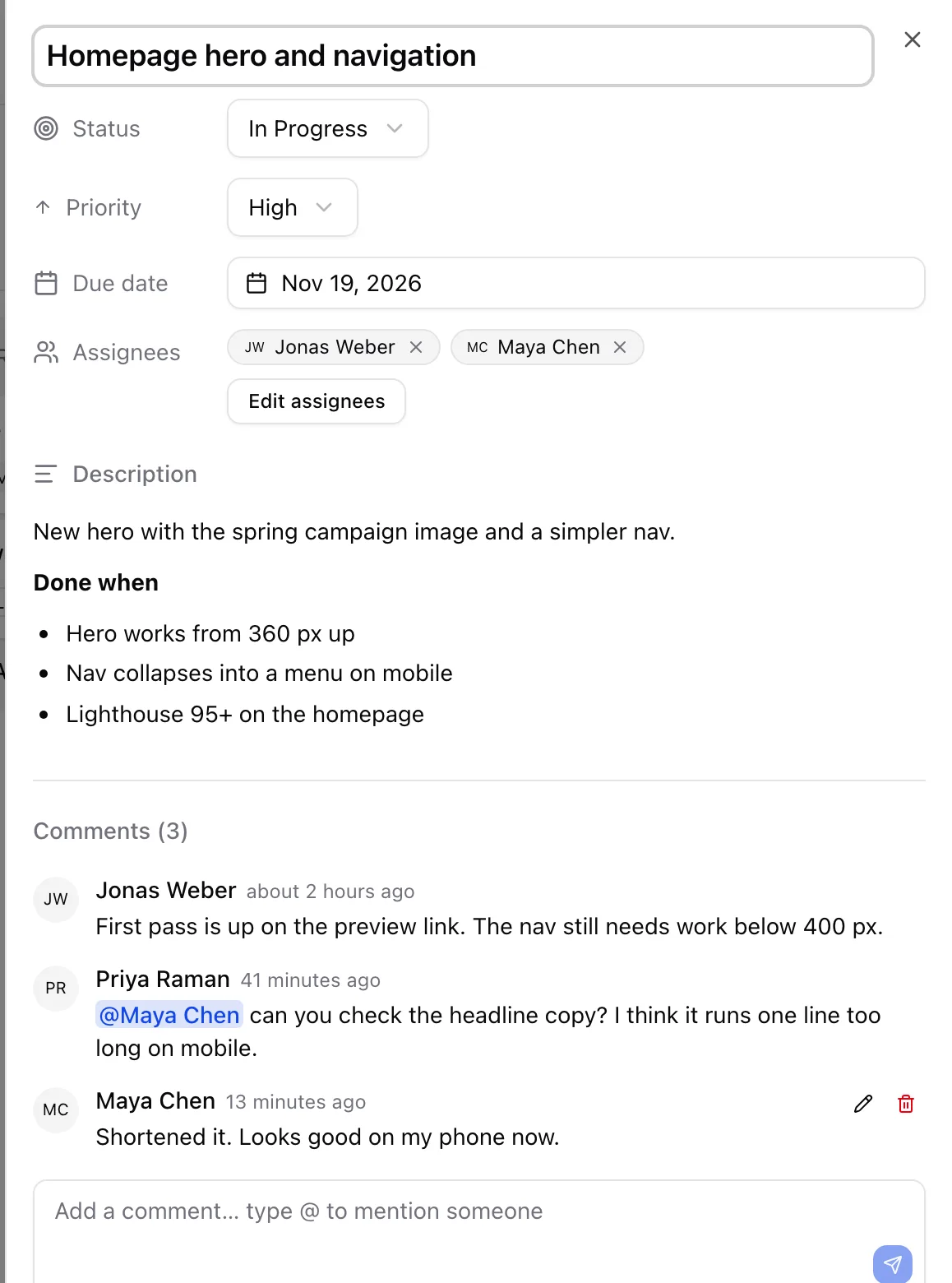
Open a task without losing your place
Every card opens beside the board with its description, assignees, due date and the whole conversation.
Write descriptions in Markdown, @mention a teammate to pull them in, and copy the link to share exactly this task.
See what needs you, and nothing else
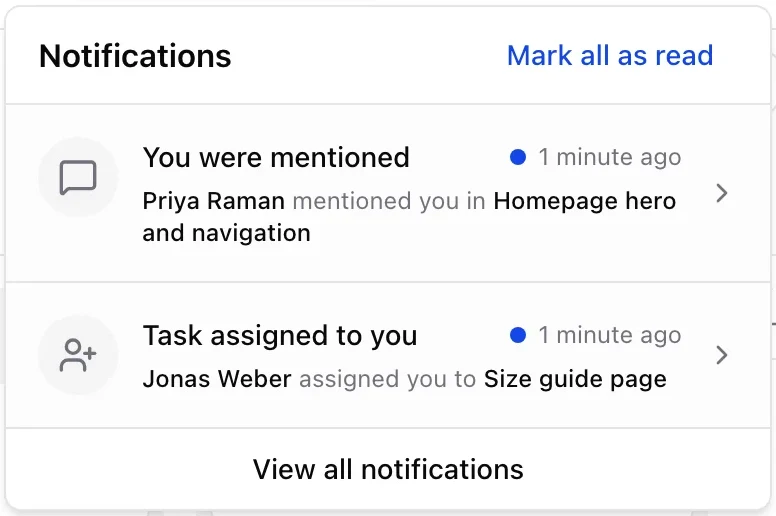
Tide tells you when you’re assigned a task, mentioned in a comment, or have something due in the next two days.
Click a notification to land on that task. Choose which ones also come by email, or get one summary a day.
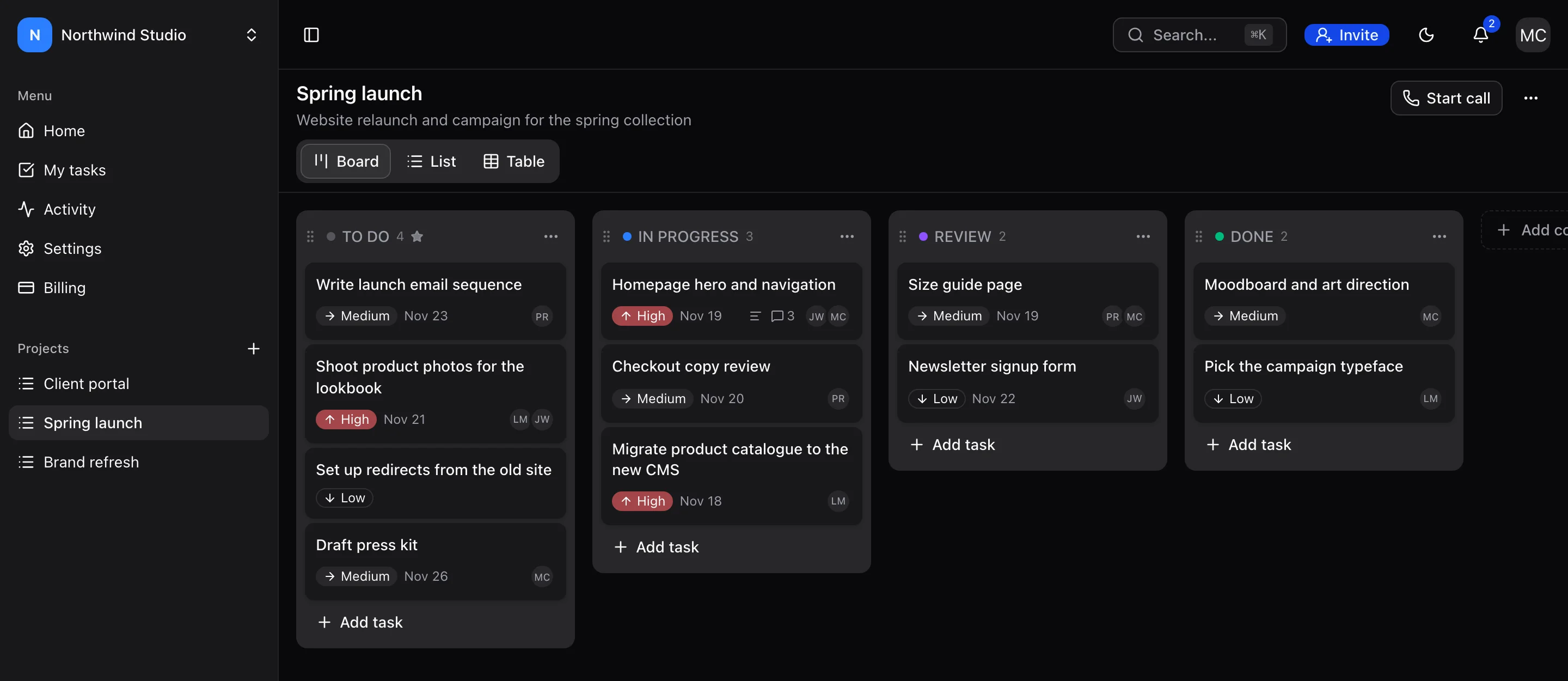
Easy on the eyes after dark
Dark mode follows your system setting, or switch it from the header. Every screen is designed for both.
The rest of what a small team needs
Board, list or table
Switch views on the same project. Add, rename, colour and reorder columns to match how your team works.
Works from the keyboard
Drag cards and columns with the mouse or the arrow keys. Press ⌘K to jump to any task, project or comment.
Workspaces and roles
Invite people by email as members or admins. Hand a workspace to someone else when you move on.
Due-date reminders
Everyone assigned to a task is reminded before it’s due, in the app and, if they want, by email.
Calls inside a project
Start a voice call from any project when a thread of comments isn’t enough.
Your data stays yours
Each workspace is private to its members. Delete your account and everything only you own goes with it.
Plus search across tasks and comments, an activity log for every workspace, and a My tasks list across all your projects.
Pricing
Every plan has every feature. You pay for the number of workspaces you own.
Free
For one team getting organised
$0per month
1 workspace
- Unlimited projects, tasks and members
- Board, list and table views
- Comments, @mentions and email notifications
- Due-date reminders and a daily summary
Pro
For people who run a few teams or clients
$9per month
Up to 5 workspaces
- Unlimited projects, tasks and members
- Board, list and table views
- Comments, @mentions and email notifications
- Due-date reminders and a daily summary
Business
For agencies and larger organisations
$29per month
Unlimited workspaces
- Unlimited projects, tasks and members
- Board, list and table views
- Comments, @mentions and email notifications
- Due-date reminders and a daily summary
Questions
Is Tide really free?
Yes. The Free plan gives you one workspace with unlimited projects, tasks and members, and every feature. Pay only if you need more workspaces.
What is a workspace?
A workspace is one team’s space: its members, projects and boards. Most teams need one. Freelancers and agencies often keep one per client, which is what Pro and Business are for.
Who can see my projects?
Only people you invite to your workspace. Invites go to a specific email address and expire after seven days.
Will Tide flood my inbox?
No. You choose which emails you get: when you’re assigned a task, when someone mentions you, and an optional daily summary. The in-app bell always has everything.
Can I leave whenever I want?
Yes. Cancel a paid plan from Billing at any time, and delete your account from Account settings. Workspaces you share with others must be handed over first, so your team keeps its work.